AMP Minibowling1.0.13
Publisher Description
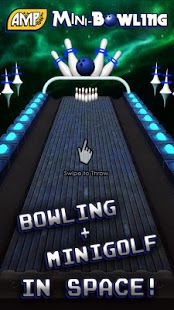
Ever try to combine bowling and minigolf? We did.. and it didn't work at first, until we put it into space! Challenge your friends either over the internet with Anytime Multiplayer or up to 4 of your friends with pass and play local multiplayer.
Permissions:
com.google.android.c2dm.permission.RECEIVE
com.baconblade.minibowl.permission.C2D_MESSAGE
android.permission.GET_ACCOUNTS
android.permission.USE_CREDENTIALS
Used for Push Notifications
android.permission.INTERNET
Internet is required to play online multiplayer
android.permission.WAKE_LOCK
There's an unfixed bug with overriding Unity's custom activity(which is required for push notifications) where the screen goes black when the device dims and doesn't come back, couldn't figure out how to fix it, so use wake lock as a workaround
android.permission.READ_PHONE_STATE
http://forum.unity3d.com/threads/163892-INTERNET-and-READ_PHONE_STATE-permissions
com.android.vending.BILLING
You can buy more of the currency through IAP's, it is completely optional(there's no dual currency and we try to be generous with coin earnings)
About AMP Minibowling
The company that develops AMP Minibowling is Bacon Blade. The latest version released by its developer is 1.0.13. This app was rated by 1 users of our site and has an average rating of 5.0.
To install AMP Minibowling on your Android device, just click the green Continue To App button above to start the installation process. The app is listed on our website since 2015-01-08 and was downloaded 10 times. We have already checked if the download link is safe, however for your own protection we recommend that you scan the downloaded app with your antivirus. Your antivirus may detect the AMP Minibowling as malware as malware if the download link to com.baconblade.minibowl is broken.
How to install AMP Minibowling on your Android device:
- Click on the Continue To App button on our website. This will redirect you to Google Play.
- Once the AMP Minibowling is shown in the Google Play listing of your Android device, you can start its download and installation. Tap on the Install button located below the search bar and to the right of the app icon.
- A pop-up window with the permissions required by AMP Minibowling will be shown. Click on Accept to continue the process.
- AMP Minibowling will be downloaded onto your device, displaying a progress. Once the download completes, the installation will start and you'll get a notification after the installation is finished.
Program Details
System requirements
Download information
Pricing
Version History
version 1.0.13
posted on 2015-01-08
Fixed a crash related to custom balls,----------,Update in app billing to v3,----------,Fixed a bug where disabling push notifications would take a few minutes to take effect, disabling push notifications is immediate now,----------,All new Pirate Plunder course pack,Added a Ball Shop to customize your throws,Added a 'Give Up' button when out of balls,Improved speed of loading facebook friends,Fixed a bug that made the game confused to whose turn it is
version 1.0.7
posted on 2013-06-11
Several fixes and updates
